As a busy merchant, you don't have hours to waste decoding complex software manuals just to get a customer retention program off the ground. Setting up a new marketing app shouldn't require a weekend of hunting down buried settings or feeling stranded in a confusing dashboard. When you install an application, you want to see value immediately, and more importantly, you want your customers to start earning points straight away.
At Keystone Loyalty Rewards, we've spent years under the Shop Circle framework engineering retention tools that help e-commerce brands scale. We have spoken with thousands of independent business owners, store managers, and marketing directors, and we have built a solution that completely respects your time.
That is why we are incredibly proud to introduce the brand-new Keystone Setup Wizard.
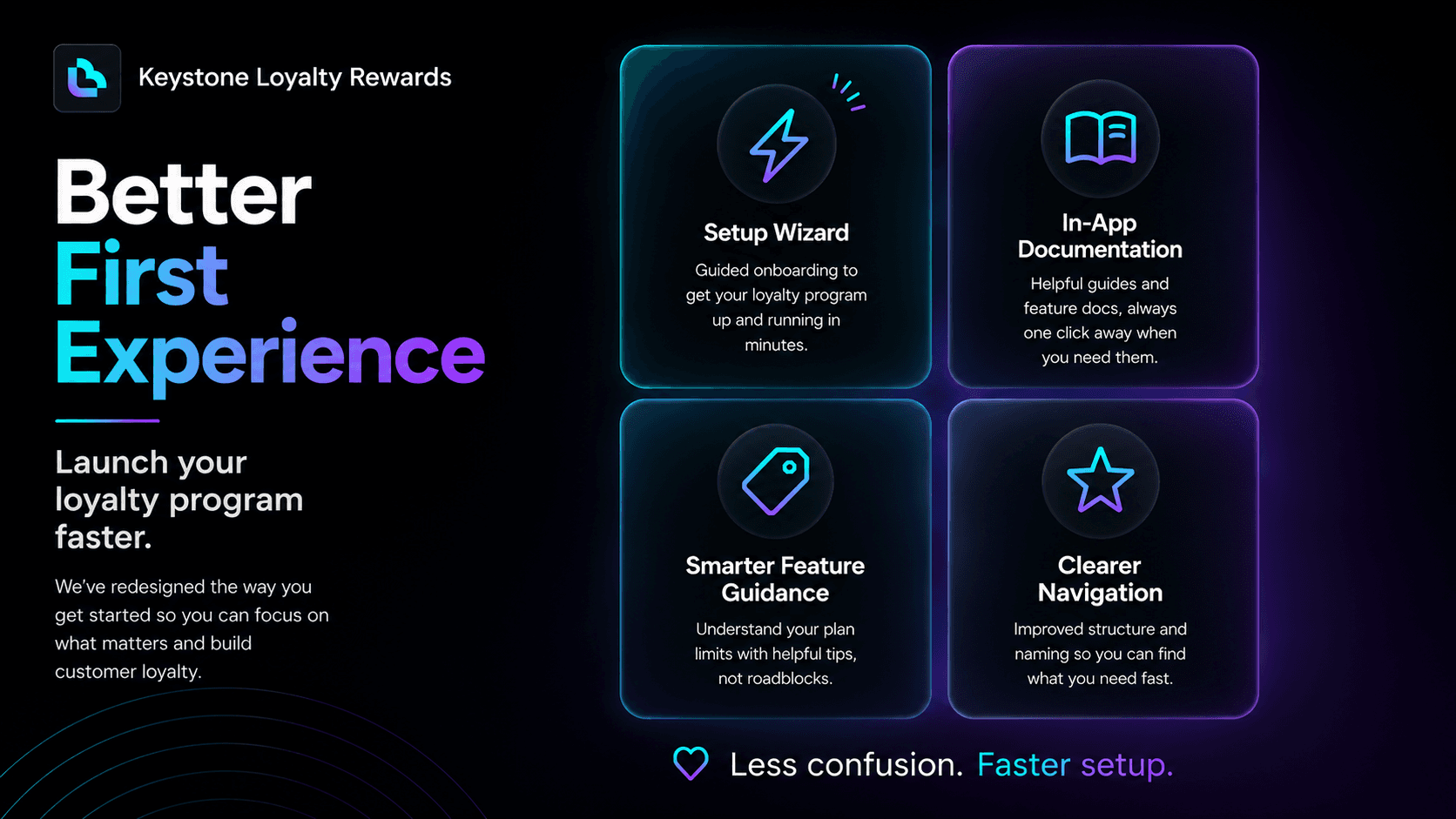
We have completely reimagined our onboarding experience to remove every single barrier to getting started. With our intuitive, guided step-by-step walkthrough, you can confidently take your customer loyalty program from "just installed" to "completely live" within your very first session.
Your Store, Your Choice: Tailored Configuration Paths
We know that no two e-commerce operations are identical. A solo entrepreneur launching their first storefront handles configuration much differently than an established enterprise operations manager. The Keystone Setup Wizard respects these differences by giving you total control over how you build your program:
- The Quick Basic Setup: Perfect for merchants who want to hit the ground running. This streamlined path configures core, high-impact reward essentials in just a few clicks, letting you launch a beautiful, functional points system in under five minutes.
- The Advanced Configuration: Built for power users who want to fine-tune every detail from day one. This path lets you dive straight into complex VIP tiers, tailored earning structures, and custom operational rules right out of the gate.
No matter which path you select, you can choose to complete it via a hands-on visual walkthrough that points out exactly what to do, or a simple, unified form that lets you input your details and go.
Eliminating Friction: Behind the New Dashboard Design
We didn't just build a wizard on top of our old layout; we went back to the drawing board to fix the underlying structural headaches that complicate software setup.
We looked closely at where merchants typically hit friction - like confusing feature restrictions interrupting natural dashboard exploration, or public referral rewards hidden away under unrelated coupon settings where they didn't logically belong.
We've ironed out all those kinks. The new onboarding layout organizes your loyalty operations exactly where you expect to find them. Referrals, points management, and rewards now sit in clean, dedicated pathways. Furthermore, we've baked an intuitive, in-app documentation entry point right into your workspace, meaning clear answers are always just a click away.
You Are Not Alone: Support at Every Milestone
Building a successful business can feel incredibly isolating, but when it comes to designing your retention strategy, you are not alone.
The Keystone Setup Wizard is more than just a set of input fields; it is a digital teammate backed by Shopcircle's years of loyalty expertise. The wizard actively guides you through choosing the best point values, helps you think about what milestones will excite your audience, and gives you the foundations to grow your brand over time.
Best of all? The Setup Wizard isn't a one-time onboarding gate.
Even after your program is live, the Setup Wizard remains fully accessible from your dashboard whenever you need a refresher. Whether you are onboarding a new team member or adjusting your strategy as your store grows, you can relaunch the full walkthrough - or trigger specific sections directly from relevant individual pages within the app - to keep your operations running smoothly.
Stop Waiting. Start Rewarding.
A loyalty program only drives revenue when it is actively running on your storefront. Don't let confusing interfaces or complex configurations stall your growth. Experience a loyalty app that completely respects your time, simplifies your workload, and connects you instantly with your community.
Launch your loyalty program today with the Keystone Setup Wizard
Log into your Shopify admin, open Keystone Loyalty Rewards, and let our wizard put your customer retention on autopilot in minutes.
Related reading
- Driving Active Conversions with Keystone Loyalty Reward Nudges
- How to Reward Account Creation Without Spamming Your Database
- How to Onboard a New Customer Into a Loyalty Program in 24 Hours
Ready to put this into practice? Keystone Loyalty & Rewards launches points, VIP tiers and referrals in minutes — VIP tiers at a third of what the big-name apps charge, a done-for-you setup option, and a free plan to start.