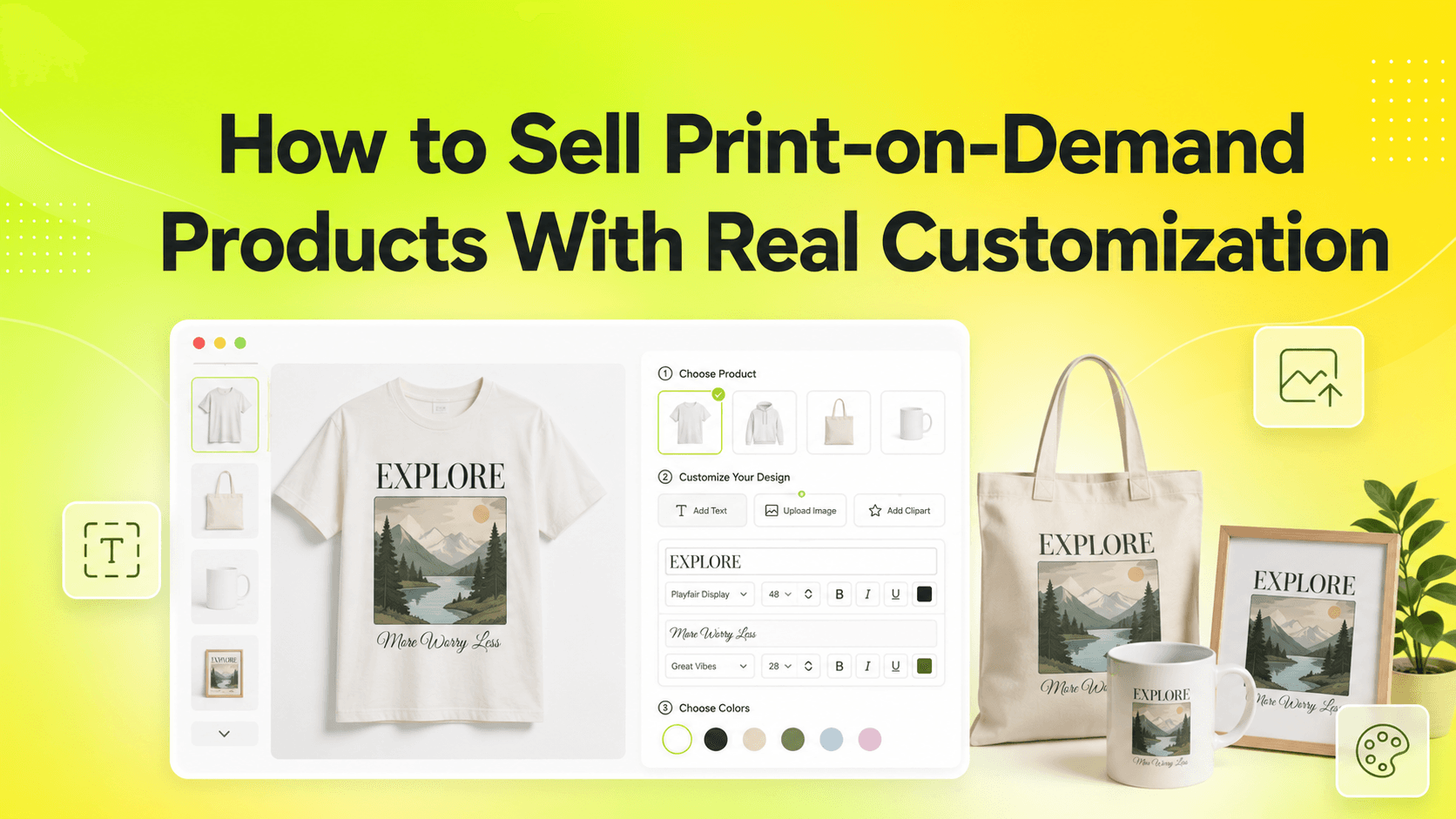
Print-on-demand was supposed to make this easy. The reality is messier.
In 2026, shoppers don't want to "configure" anything. They want a product that already feels like it was made for them. The store that gets out of their way wins the sale, and the store that asks them to fill out a confusing form usually doesn't. The difference between those two experiences almost always comes down to the tools running the product page.
Most Shopify themes treat customization as an afterthought. They were designed for the simple case - a t-shirt in three sizes and three colors - and they handle that case well. The moment your catalog grows past the basics, the seams start to show. Keystone Product Options was built around the opposite idea: that configurable, personalized, made-to-order products deserve a first-class experience on the product page, not a workaround stitched together with theme code.
This post is a closer look at why that matters, what it unlocks for your store, and how to think about configuration as a competitive advantage instead of a tax on growth.
Build Configurable Products Without Touching Theme Code
One of the recurring complaints we hear from Shopify merchants is that adding flexibility to a product page used to mean opening Liquid files. Every change required either a developer or a long evening with documentation, and every theme update threatened to break what was already there.
Keystone removes that entirely. Every product option, conditional rule, and price add-on is configured from a clean dashboard. You can add unlimited variant options, upload color swatches in bulk, and define complex rules without writing a single line of code.
The app inherits your theme's existing styling automatically. Buttons match your typography. Color swatches respect your palette. Form inputs feel native. The result is a product page that reads as part of your store, not as a plug-in tacked on at the last minute.
Live Upsells, Add-ons, and Smart Pricing
Configuration is where AOV either climbs or stays flat. Stores that offer thoughtful upsells inside the product page tend to outperform stores that bolt them onto the cart afterward.
Keystone makes this effortless. With the Price Add-on feature, you can attach a cost to any option on the page. Premium gift wrapping, expedited production, upgraded materials, or warranty coverage - all of it can be configured in a few clicks and shown live on the product page.
Because customers see the running total update as they make their selections, the upsell never feels like a surprise. They are choosing the experience they want, watching the price reflect those choices, and committing to a configuration they fully understand. The conversion math gets a lot kinder when the customer is in control of the price they pay.
Why the Standard Shopify Setup Falls Short
Out of the box, Shopify gives you a clean product page and three-option variant system. For most stores selling t-shirts in three colors, that is plenty. The moment your catalog grows past the basics, the cracks show fast.
The variant cap is the most visible one - Shopify now allows 2,048 variants but only 3 options per product - and it is rarely the only one that matters. Stores that want to offer text inputs, file uploads, conditional logic, or per-character pricing run into a quiet wall: the native product page was never designed for any of it. Custom theme code becomes the workaround, and that becomes a maintenance burden the founder did not sign up for.
This is the gap that Keystone Product Options was built to close. Not as a shim on top of Shopify, but as a first-class extension of the product page that handles configuration the way modern shoppers expect.
B2B and Wholesale Pricing That Actually Works
If your store sells to both retail and wholesale buyers, you have probably hit the limits of native Shopify pricing more than once. Wholesale buyers expect their negotiated pricing to apply across every option, add-on, and configuration on the page. Most apps in this space simply don't handle that.
Keystone fully follows Shopify Plus B2B Catalog pricing. Wholesale customers see their specific, accurate prices on the product page, in the cart, and at checkout - including any add-ons, upgrades, or per-unit price variations. There are no manual invoices to issue after the order, no price corrections, and no awkward "we'll send a quote" moments.
For merchants running mixed retail and B2B operations, this is one of the quietest but most impactful features in the app. The same product page works for both audiences, and each buyer sees the price meant for them.
Stop Treating Customization Like a Side Project
The difference between Shopify stores that win in 2026 and stores that quietly fade isn't catalog size, ad budget, or theme polish. It's whether configuration feels effortless to the shopper. Stores that get this right convert more, refund less, and grow into categories that flat-variant stores cannot reach.
Keystone Product Options is officially live on the Shopify App Store. It's designed to give you back the time you'd otherwise spend on theme code, manual orders, and clunky workarounds.
Ready to see what your product pages can do?
Install Keystone Product Options for free right now. Build your first configurable product, watch it convert, and let your team focus on the parts of the business that actually need them.