Every loyalty program runs on numbers - how many members you have, how many are active, how many points are sitting on the books as liability, what your redemption rate looks like, who your best customers are, whether that last campaign actually moved anything. Keystone already calculates all of it. The catch has always been getting to it: you stop what you're doing, open the dashboard, find the right analytics page, and read the chart. The one place you're actually thinking about your store - a quick question in plain language - could never give you an answer.
That changes today. Keystone Loyalty Rewards now connects to Shopify Sidekick. You can ask about your loyalty program the way you'd ask a teammate, and get a real answer in seconds - right inside Shopify, no dashboard required.
A loyalty expert that lives in your admin
Sidekick is Shopify's built-in AI assistant - the ✦ in the top-right of your admin. We've connected Keystone to it and handed it the full context of your loyalty program: your members, points, VIP tiers, rewards, and campaigns. So Sidekick doesn't just chat - it actually knows how your program is doing and can tell you, the moment you ask.
There's nothing to set up, no report to build, no filters to configure. You type a question in everyday language and Sidekick answers in plain prose, backed by the same data that powers your dashboard. It's the difference between having analytics and being able to simply ask for them.
The questions your dashboard makes you dig for - now just a sentence
We've taught Sidekick to answer the five questions merchants ask most, each one reusing the exact analytics behind your existing screens.
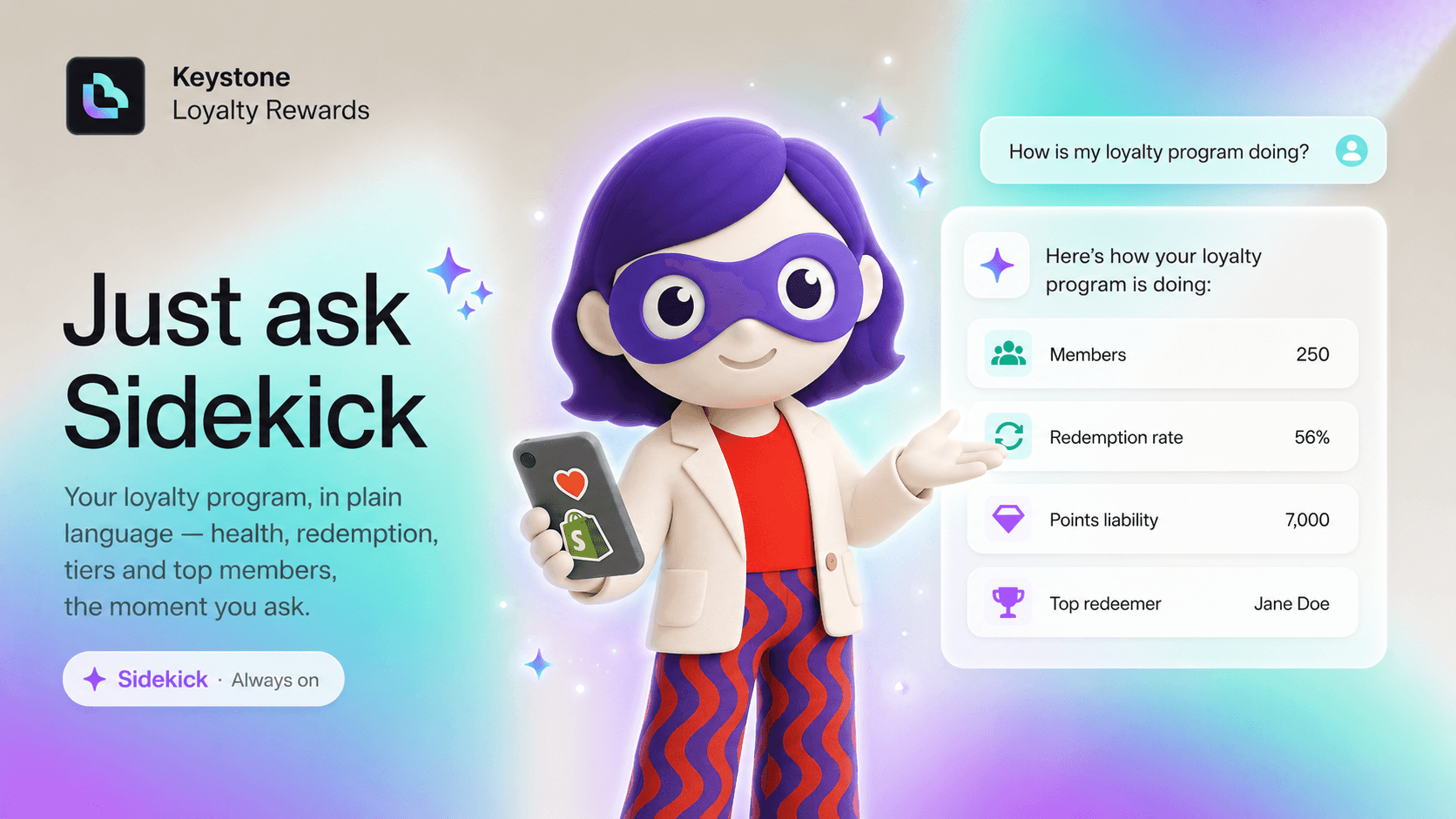
"How is my loyalty program doing?" - A complete health check in one reply: total members, active members, your points liability (the points still outstanding), and your earned, claimed, and redeemed totals. The whole picture, without opening a thing.
"What's my redemption rate and claim rate?" - See how effectively members are turning points into rewards, and how much of what you've issued is actually being put to use. Two of the truest signals of whether your program is working.
"How are members spread across my VIP tiers?" - Get the breakdown across every tier: how many members sit in each and what share of your tiered base that is - so you can see whether your top tiers are pulling their weight.
"Who are my top redeemers?" - Meet your most engaged customers, ranked by lifetime points redeemed, with their current balance. These are the people worth recognising and retaining.
"How did my latest point campaign perform?" - Get the lift versus baseline for your most recent (or a specific) campaign: extra points, additional transactions and customers, and claim rate - the numbers that tell you what to repeat and what to drop.
Or get the whole story in one question
You don't have to ask one at a time. Try the one-shot audit:
"Audit my loyalty program - health, redemption rate, tier split, and top redeemers."
Sidekick gathers every metric and replies with a single, readable summary of your program's state. It's the closest thing to a loyalty analyst on call - except the answer lands in seconds.
Built to be trusted
Convenience only matters if you can rely on what you're told, so a few choices were deliberate:
- It reads, it never changes anything. These tools are read-only by design. Sidekick reports on your program - it will never alter rewards, points, tiers, or settings on its own.
- The numbers match your dashboard. Sidekick reuses the very same analytics that power your dashboard and analytics pages. One source of truth, no surprises.
- Clean answers, even with no data. Brand-new program, no tiers, no campaigns yet? You get a clear, well-formed answer instead of an error or a blank.
- It lives where you already work. Everything happens inside Shopify, in the Sidekick panel - no new tab, no extra login, no context switch.
From answers on demand to insights that come to you
Asking is only the beginning. Because these metrics are now available to Sidekick, they can also surface proactively through Sidekick Pulse - so a shift in your program's health can reach you instead of waiting to be discovered. Loyalty analytics stop being a place you have to visit and become something you simply stay aware of, in the flow of running your store.
Try it now
Open your Keystone-enabled store, click the ✦ Sidekick icon in the top-right of your Shopify admin, and ask:
"How is my loyalty program doing?"
That's your entire loyalty dashboard - delivered in a sentence, the moment you want it.
Related reading
- Automate Your Loyalty Rewards: Introducing the Keystone × Zapier Integration
- How to Build a Loyalty Program That Truly Scales
- Shopify Sidekick Now Knows Your Product Options
Ready to put this into practice? Keystone Loyalty & Rewards launches points, VIP tiers and referrals in minutes — VIP tiers at a third of what the big-name apps charge, a done-for-you setup option, and a free plan to start.