Setting up a loyalty program is a long-tail configuration task. Before the program is worth switching on, you have to understand point economics, earning rules, reward types, and tier qualifications — and then make a dozen interlocking decisions in an admin that can only show you one of them at a time. That friction is real, and it is why so many programs stall halfway to launch.
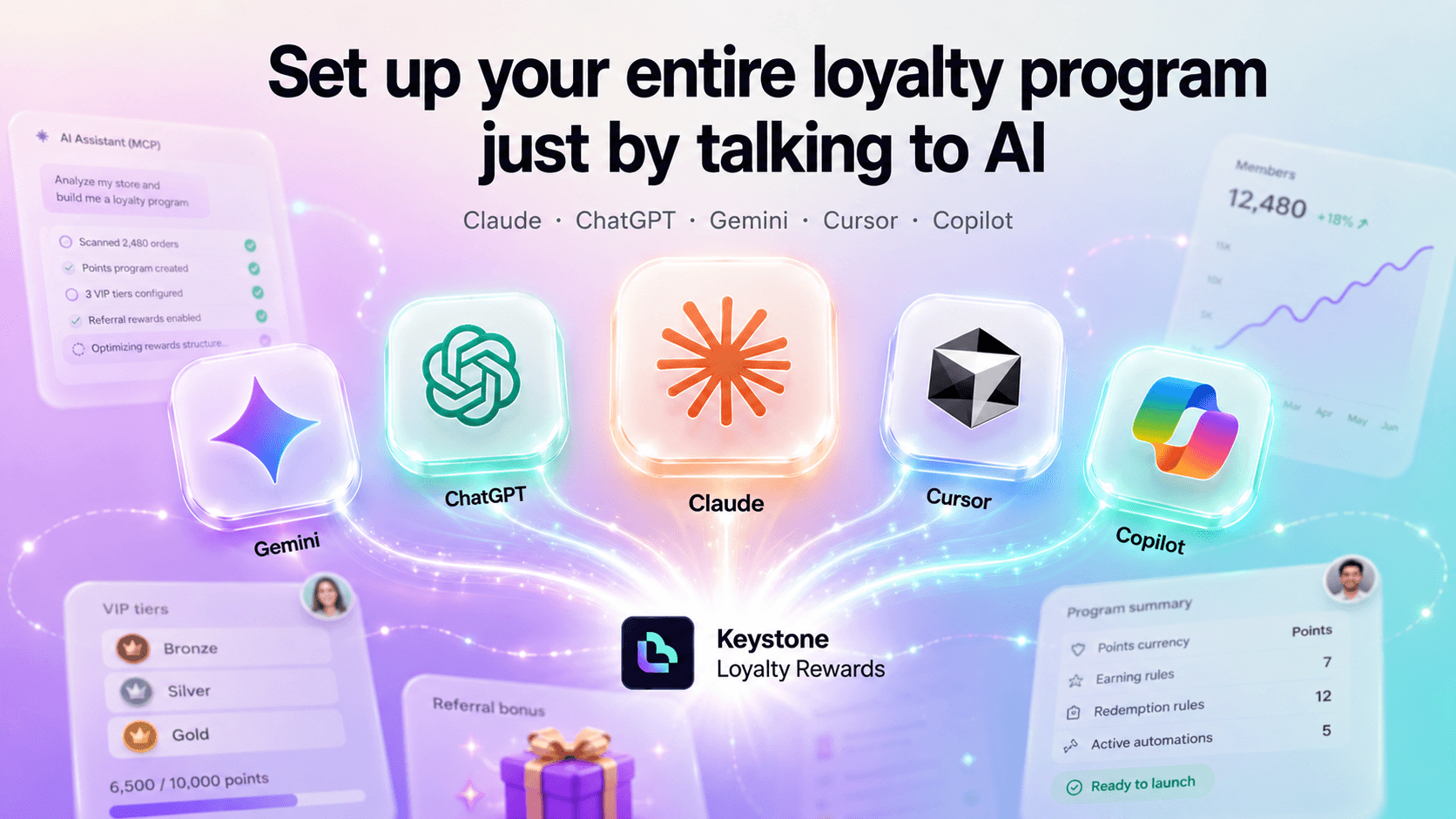
AI Assistant Access (MCP) in Keystone Loyalty Rewards removes it. Connect your AI assistant to your store, describe the program you want in plain language, and the assistant configures it, explains the trade-offs, and tells you what is still missing before you can go live.
Set up your program by describing it
Instead of clicking through the admin, you say what you want:
"Give 2 points per dollar, 100 bonus points at signup, and a £10 off coupon at 500 points."
Your assistant configures each piece and can explain what every decision means for your point economics before committing to it. The expertise moves from you to the conversation.
It tells you what is left
Your assistant checks your setup status before it does anything else, then walks you through the remaining steps in order — email notifications, your order earning rule, your first reward, the storefront widget, and enabling the program last. No blank page, and no guessing what still stands between you and a live program.
Works with Claude, ChatGPT, and any MCP-capable assistant
MCP — the Model Context Protocol — is an open standard for connecting AI assistants to real systems. We implement it, which means AI Assistant Access (MCP) works with Claude, ChatGPT, and any other MCP-capable assistant.
There are two ways to connect. Desktop and CLI clients use a token you generate on the integration card. Web connectors that cannot send custom headers connect over OAuth, using a one-time pairing code that binds the connection to your store.
What your assistant can set up
Your whole program, with no capability cliff that sends you back to the admin mid-conversation:
- Program settings — your program's name, what you call your points, when an order counts, and how points expire.
- Every way customers earn — orders, signing up, birthdays, newsletter subscriptions, loyalty anniversaries, store visits, and social follows, plus platforms you add yourself like LinkedIn, Discord or Threads.
- Rewards — percentage or fixed-amount discounts, real Shopify gift cards, custom perks you fulfil yourself, and an exchange rate that lets customers turn any number of points into a discount code.
- Points campaigns — time-boxed boosts, either bonus points per order or a multiplier on what customers already earn.
- VIP tiers — the full benefit set, from point multipliers and shipping discounts through to member-only and free products, and exactly what it takes to reach each one.
- Referrals — what the referrer and their friend each get, the delays, the share buttons, and your fraud protections.
- Program health — how many members you have, points earned and redeemed, and how many points you still owe your customers.
Ask about a customer — read-only
You can also ask about a single customer, by email, full name, or Shopify customer id: their points balance, lifetime totals, current tier, when they joined, and their recent activity.
Because your tiers report their thresholds in the same units, the obvious follow-up works too. "Why hasn't Ada reached Gold yet?" gets an answer assembled from her actual lifetime points against Gold's actual threshold — not a guess, and not an invented target.
Three limits, all deliberate, all worth knowing before you try it:
- It is read-only. Your assistant cannot adjust anyone's points. Moving points is the one customer-facing action where a mis-parsed instruction costs you real money, so it stays in the admin, done by you.
- Names match exactly. Customer names are encrypted in our database, so a lookup matches the whole name: "Ada Lovelace" finds her, "Ad" does not. Email and customer id are exact too.
- One customer at a time. There is no "list all my customers" tool. Your assistant resolves one person from an identifier you supplied — the surface cannot be used to enumerate your customer base, by design.
What comes back is deliberately narrow, too: loyalty fields plus the customer's name, email and Shopify id. No addresses, no order history, no marketing consent.
What stays in the admin
Being precise about this matters more than claiming everything. Adjusting points, extending expiry, and retroactive backfills are not part of this release — anything that moves points stays in the admin. Neither is widget visual design, Challenges, customer nudges, Import/Export, or Shopify Flow.
Your assistant cannot delete anything
This is deliberate, and it is the part we would ask you to read twice. There are no delete tools — none. Deletions are destructive, hard to confirm in a conversation, and a single mis-parsed instruction would be unrecoverable. Everything your assistant can do is create or update, plus an enable/disable switch. If something needs deleting, you delete it in the admin.
You stay in control
- Going live takes your explicit confirmation. Your assistant will not switch your program on by itself.
- Plan changes never charge. A plan change hands back a Shopify approval link that you approve yourself.
- Some things start switched off on purpose — dynamic discount configs are created disabled, so you review them before customers ever see them.
- Every Shopify reference is checked. There is no picker in a chat window, so any segment, product, or collection your assistant supplies is validated against your store before it is used — rather than guessed at.
See every connected assistant — and cut any one off
A token is portable: once it has been copied, it works from anywhere. So the integration shows you everything that can currently reach your store — your token with the time and IP address it was last used from, and every connected assistant by name, with its own Revoke button. An unfamiliar IP address is your signal to regenerate.
Revoking one assistant leaves your others untouched. And because this is a security control, it keeps working even if your plan has lapsed — cutting off access is never something you should have to pay to do.
Built on the same engine as your admin
The tools your assistant calls contain no business logic of their own. Each one validates its input and hands off to exactly the same code the admin UI calls. This is a second front end over one engine, not a parallel implementation that can quietly drift away from it. What your assistant configures is what your admin shows, because underneath, they are the same thing.
Try it out
Open Keystone Loyalty Rewards, go to Settings → Integrations → AI Assistant (MCP), and connect your assistant. Then ask it to check your setup status — and let it take it from there.
Install Keystone Loyalty Rewards for free right now.
Related reading
- Introducing Custom Earning Rules: Reward Page Visits and Shopify Flow Events
- How to Sell to Wholesale Customers Without Polluting Your Loyalty Program
- Build any earning rule you want with conditional earning logic
Ready to put this into practice? Keystone Loyalty & Rewards launches points, VIP tiers and referrals in minutes — VIP tiers at a third of what the big-name apps charge, a done-for-you setup option, and a free plan to start.