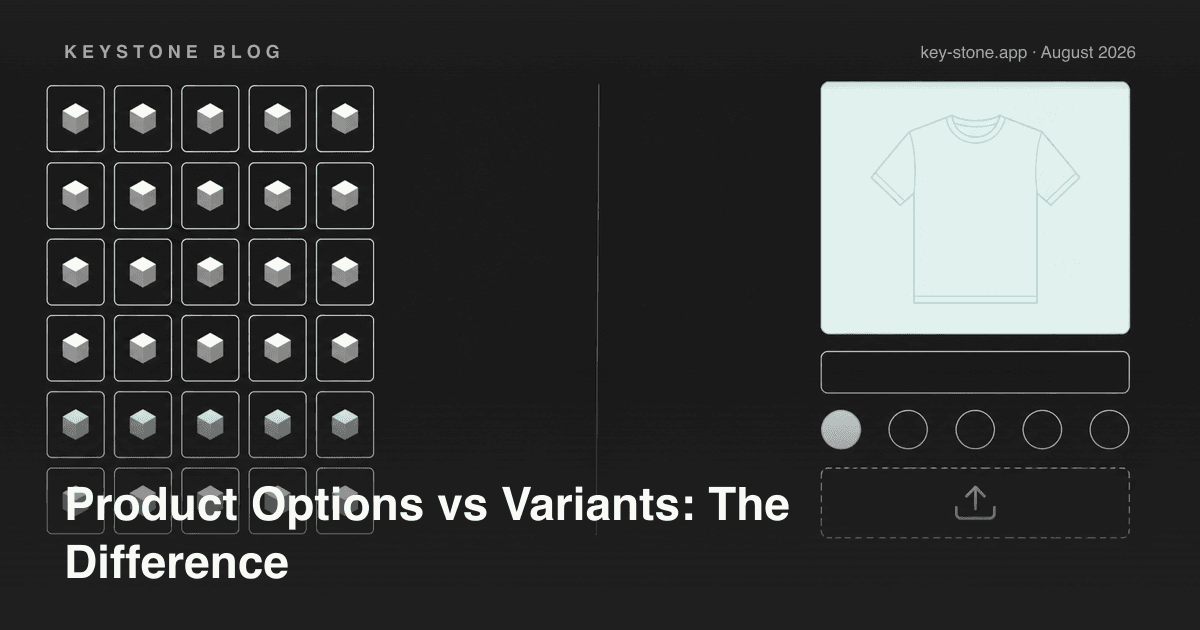
The short answer: a variant is a distinct version of a product that Shopify tracks as its own SKU - it can have its own price, barcode, weight, and inventory count. A product option (in the sense options apps use the term) is a customization layered on top of a product or variant - engraving text, a file upload, gift wrapping, a rush-production fee - that does not need its own SKU or stock count.
The distinction sounds academic until you hit one of two walls. Either you run out of room - Shopify allows 2,048 variants but only 3 option dimensions per product - or your inventory reports stop making sense because choices that never needed stock tracking were modeled as SKUs. This guide covers when to use each, how they behave differently in the cart and in orders, and how to combine them.
What a Variant Actually Is
When you add options like Size and Color in the Shopify admin, Shopify generates a variant for every combination: Small/Red, Small/Blue, Medium/Red, and so on. Each variant is a real database object with:
- Its own SKU and barcode, so your warehouse and POS can scan it.
- Its own inventory count, tracked per location.
- Its own price and compare-at price.
- Its own weight and shipping profile inputs.
- Optionally its own image.
That power comes with two constraints. First, the dimensions: Shopify allows up to 2,048 variants per product but only 3 options, so a fourth choice like gift wrap or a font can't be modeled as a variant at all. Second, every choice you model as a variant multiplies your catalog admin: more rows to price, more rows to track, more rows to export.
What a Product Option Is
A product option, as options apps use the term, is a field the customer fills in or selects on the product page that travels with the line item into the cart and order. Under the hood these are usually line item properties - key-value pairs Shopify attaches to a cart line. Typical examples:
- A text field for engraving or a gift message.
- A file upload for custom print artwork.
- A checkbox for gift wrapping with a fee.
- A date picker for delivery or event date.
- Swatches for choices that don't affect stock, like a monogram color.
Options don't create SKUs and don't touch inventory. That is precisely their strength - a personalization with millions of possible values (any engraving text) would be impossible to model as variants - and their limitation: if a choice changes which physical item ships from the shelf, an option alone won't keep your stock accurate.
The Decision Table
| Your situation | Use | Why |
|---|---|---|
| Each combination is a physical item you stock and count | Variant | Inventory, barcode, and POS scanning need a SKU |
| Free-text input (names, dates, messages) | Option | Unlimited values can't be enumerated as SKUs |
| Customer uploads a file or image | Option | No inventory dimension at all |
| Paid add-on (gift wrap, rush fee, warranty) | Option with price add-on | A fee, not a separate stocked product |
| Choice changes shipping weight significantly | Variant | Weight lives on the variant |
| More combinations than your variant budget allows | Variants for stocked dimensions + options for the rest | Spend SKUs only where inventory needs them |
How Each Shows Up in the Cart and in Orders
Variants appear in the cart as the product title plus the variant title - "Classic Tee - Medium / Red" - and flow into orders, packing slips, and inventory adjustments automatically.
Options ride along as line item properties. A good options app renders them clearly in the cart, passes them into the order so your fulfillment team sees "Engraving: Happy 30th, Ana" on the packing slip, and adds any fees to the line price. This is worth testing before you commit to an app: options that vanish between the product page and the order confirmation generate support tickets and refunds.
Price Add-ons vs Variant Prices
Variant prices are absolute: Medium/Red costs $29, full stop. Option pricing is additive: engraving adds $8, gift wrap adds $4, on top of whichever variant the customer picked. Apps implement add-ons either by bundling a hidden fee product into the cart or through cart transformations, and the good ones show a live price preview on the product page so the customer watches the total update as they configure. If your add-on price depends on the input itself - per-character engraving, price per square meter - that's option territory; variants cannot express formulas.
Combining Both: The Pattern That Scales
Most stores that sell configurable products land on the same architecture:
- Variants carry the stocked dimensions. Size and base color, because the warehouse shelves are organized that way.
- Options carry everything else. Personalization, add-ons, uploads, and any choice that doesn't change which box gets picked.
A jewelry store might stock ring sizes 5-10 as variants (6 SKUs), then layer metal engraving text, font choice, and gift box as options. Modeled purely as variants, the same product would be impossible - engraving text alone has infinite values.
The Two Mistakes That Cause the Most Damage
Mistake 1: modeling non-inventory choices as variants. A store adds "Gift wrap: Yes/No" as a variant dimension and instantly doubles its variant count and uses up one of its three option dimensions on a choice with no stock at all. Do the same with a font choice and there is no dimension left for real, stocked attributes.
Mistake 2: moving real SKUs into options. The reverse failure: a store runs out of option dimensions and migrates actual stocked items - say, 40 fabric choices that each exist as physical rolls - into an options app. Orders still come in, but inventory counts stop moving, oversells start, and the warehouse works from memory. If it sits on a shelf and runs out, it should be a variant (or a separate product); an option can reference it, but something must track the stock.
What About Shopify's Variant and Option Limits?
Shopify used to cap products at 100 variants; the limit is now 2,048, which covers most stocked matrices. The cap that still bites is 3 options per product. Native variants help if every combination truly is a stocked SKU - but they multiply admin overhead and still can't do text, files, or fees. An options app sidesteps the ceiling entirely by keeping one product and layering unlimited configurable choices on top, with conditional logic showing only the relevant fields. We compared every workaround - native limits, product splitting, theme hacks, and options apps - in a separate deep dive.
Where Keystone Fits
Key Product Options is our take on the options side of this architecture: a Built for Shopify app with 12 option types on the free plan (10 option sets), unlimited option sets and price add-ons at $9.99/month, and conditional logic plus B2B catalog pricing at $29.90/month, as of September 2026. Options render with your theme, travel into orders and packing slips, and update a live price preview as customers configure - so variants can stay reserved for what actually sits on your shelves.
Related reading
- Shopify's Variant Limit in 2026: Every Workaround Compared
- How to Get Past Shopify's Variant and Option Limits Without Theme Hacks
- Why Variant Images Should Update with Every Option Change
Ready to sell configurable products without burning your variant budget? Key Product Options goes past Shopify's variant and 3-option limits - unlimited options, conditional logic, file uploads, and live price preview, with a free plan to start.