Your loyalty program only works when customers remember it exists. Points sitting silently in an account they never look at don't change behaviour — points they see next to the cart on every page do.
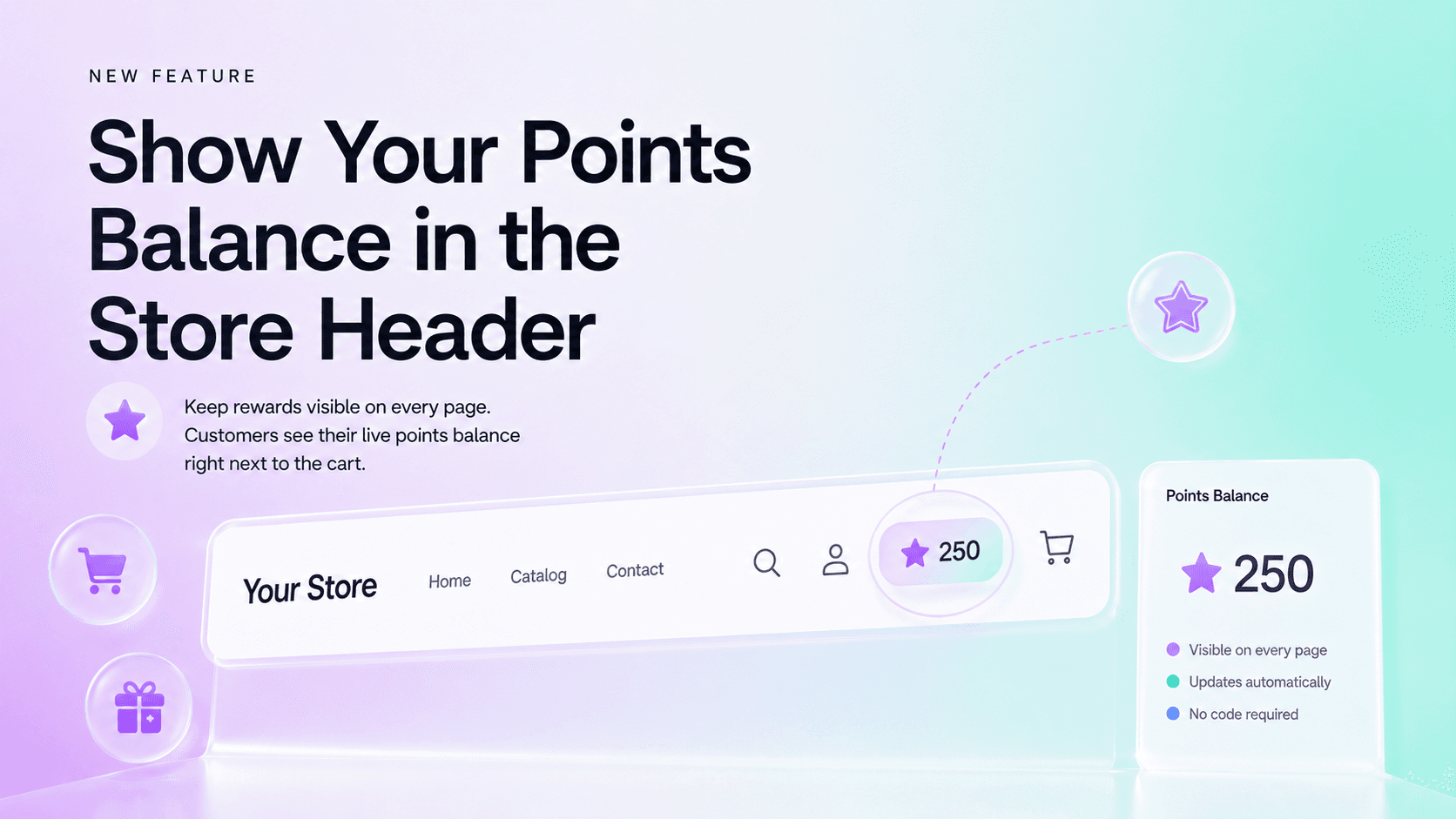
That's exactly what the new Points Balance block in Keystone Loyalty Rewards does. It's a lightweight theme block you add to your store's header, and from that moment every logged-in customer sees their current points balance — on the home page, on collection pages, on every product page, all the way to checkout.
Points in the header, on every page
Until now, customers checked their balance by opening the loyalty widget or their account page. That works, but it asks the customer to go looking. The Points Balance block flips it around: the balance sits right next to the cart icon, in the one part of the page that's visible everywhere.
- Always visible — the balance travels with the customer across your entire storefront.
- Always current — it stays up to date automatically as customers earn and spend points.
- For logged-in customers — shoppers who are signed in see their real balance the moment the page loads.
Set it up in the theme editor — no code
The block is a native Shopify theme block, so setup takes a minute:
- Open Online Store > Themes > Customize in your Shopify admin.
- Select your Header section and click Add block.
- Choose Points Balance from the Keystone Loyalty Rewards app blocks.
- Drag it where you want it — most stores place it between the account and cart icons — and click Save.
That's it. No theme code, no snippets, nothing to maintain across theme updates.
Why a visible balance changes behaviour
Loyalty psychology is simple: rewards that are visible get used, and rewards that get used bring customers back. A customer who sees "250 points" every time they glance at the cart is constantly reminded there's value waiting for them — and how close they are to the next reward.
That constant, low-friction reminder does three things:
- Nudges the next purchase. A visible balance turns "I might come back later" into "I'm 50 points away from a discount."
- Drives redemptions. Customers who know their balance redeem more often, and redeemers have dramatically higher repeat purchase rates than non-redeemers.
- Makes the program feel real. A loyalty program that shows up in the header feels like part of the store, not a banner they scrolled past once.
Works with the rest of Keystone
The Points Balance block is part of the same loyalty toolkit you already use — earning rules (including conditional earning rules), rewards, referrals, and the on-store widget. Customers see the balance in the header, and everything else works exactly as before.
Available now
The Points Balance block is live for all Keystone Loyalty Rewards stores. Open your theme editor, add the block to your header, and give your customers a reason to keep earning.
Install Keystone Loyalty Rewards if you haven't yet — and put your loyalty program where every customer can see it.
Related reading
- Close the Loop at Purchase: the Thank You Page Points Recap
- How Can Points Expiry Re-Engage Lapsed Customers and Reduce Financial Liability?
- Why Your Refund Policy and Loyalty Program Should Live Together
Ready to put this into practice? Keystone Loyalty & Rewards launches points, VIP tiers and referrals in minutes — VIP tiers at a third of what the big-name apps charge, a done-for-you setup option, and a free plan to start.