

Appearance
Storefront Settings
Configure how your options form appears and behaves on the storefront.
Overview
Storefront Settings control the functional behavior and customer-facing elements of your product options — price display, formatting, help text visibility, language strings, currency rounding, cart properties, and image switching.
Open Storefront Settings from the App Settings page by clicking Customize on the Storefront settings card.
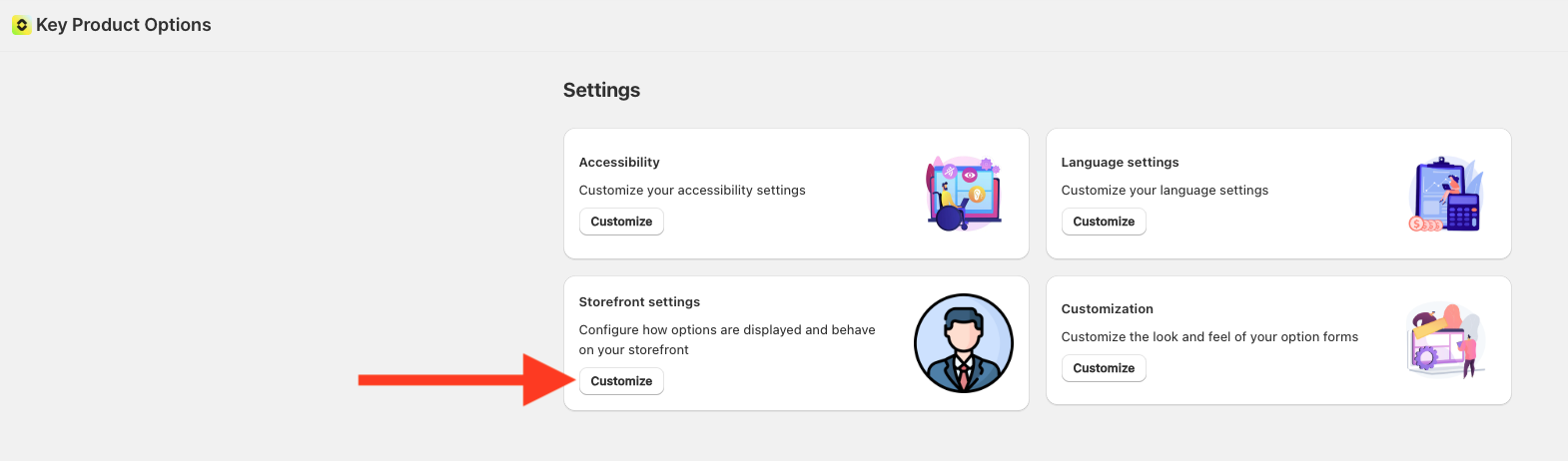
Settings
- Price Display Settings — Configure how option prices are displayed to customers
- Option Price Display Format — Customize how option values and their prices are displayed across all option types
- Currency Pricing — Control how option prices are displayed in different currencies
- Help Text Display Mode — Choose how help text is shown for options
- Language Settings — Configure language strings for customer-facing UI
- Cart Property Display — Control how option properties appear in the cart and checkout
- Image Switching — Automatically switch product gallery images when customers select options by matching to image alt text
How to Access
- Navigate to App Settings > Storefront Settings
- Open the setting you want to configure
- Adjust as needed
- Click Save in the contextual save bar
Changes apply immediately to your storefront.