

Appearance
Shopify POS Integration
Overview
This article explains how Key Product Options integrates with Shopify POS.
⚠️ Important: Shopify POS integration is available only for users on the Premium price tier plans.
Setup Requirements
- Open the Shopify POS app and tap Add Tile.
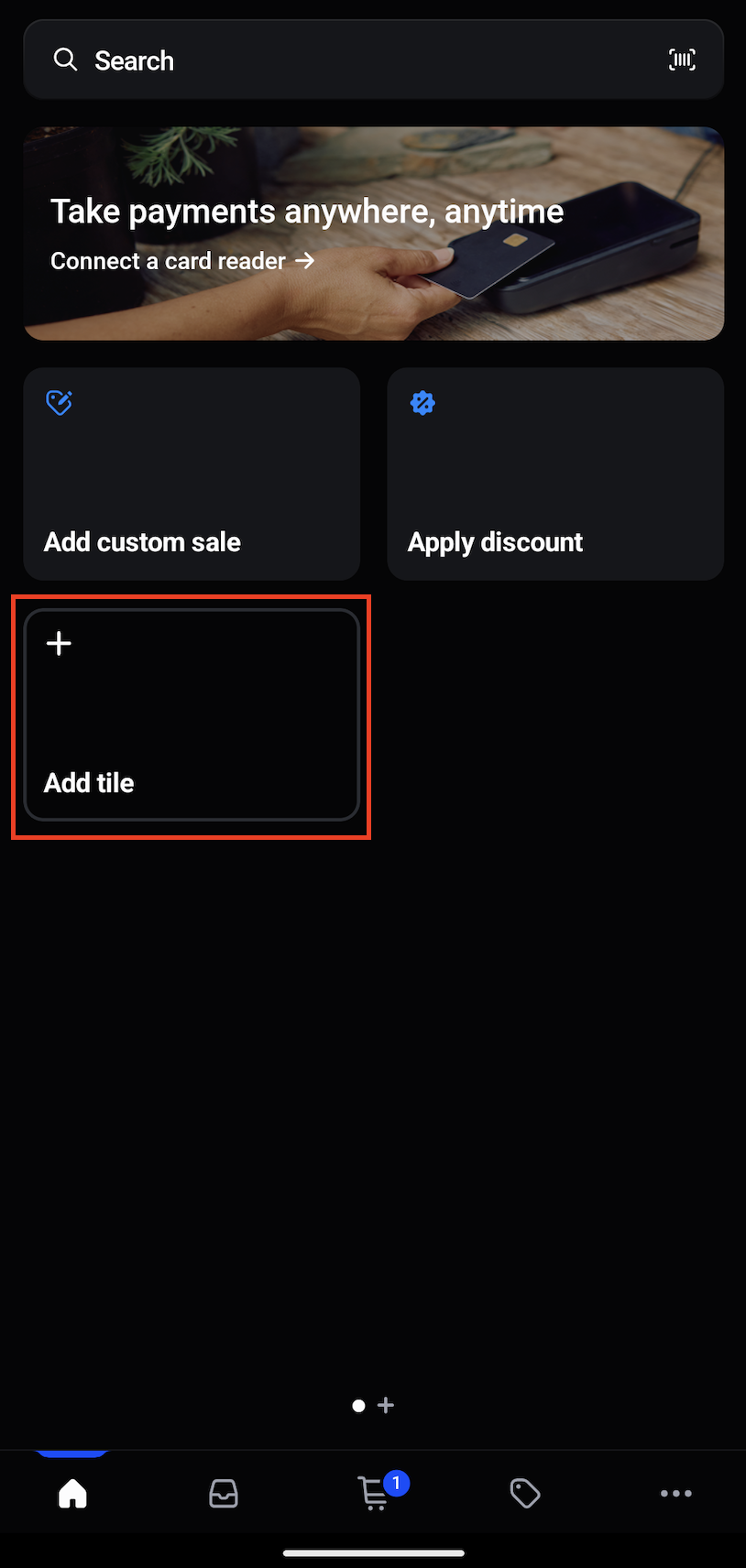
- From the main screen, locate the menu and select Add Tile again if needed.
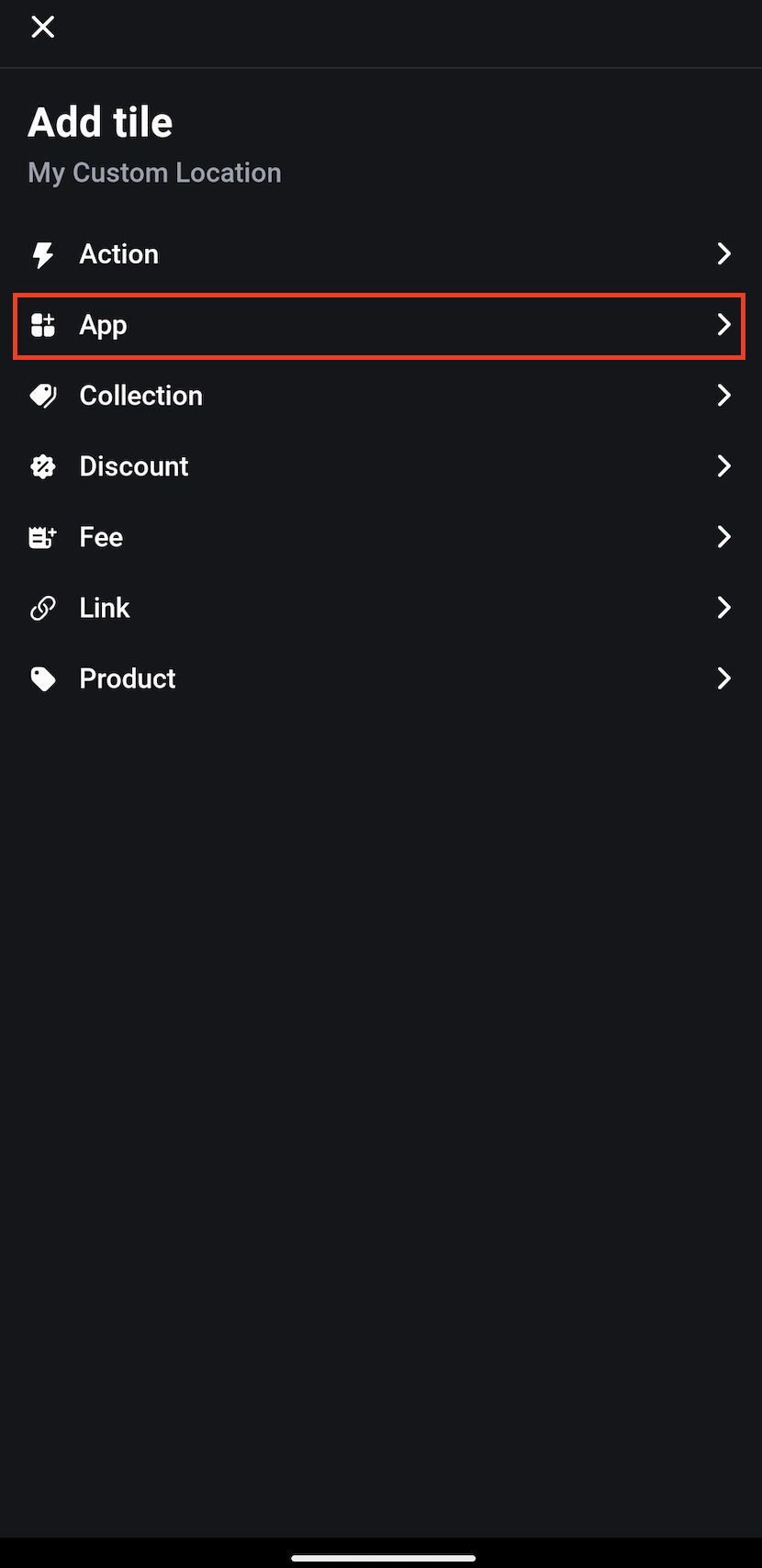
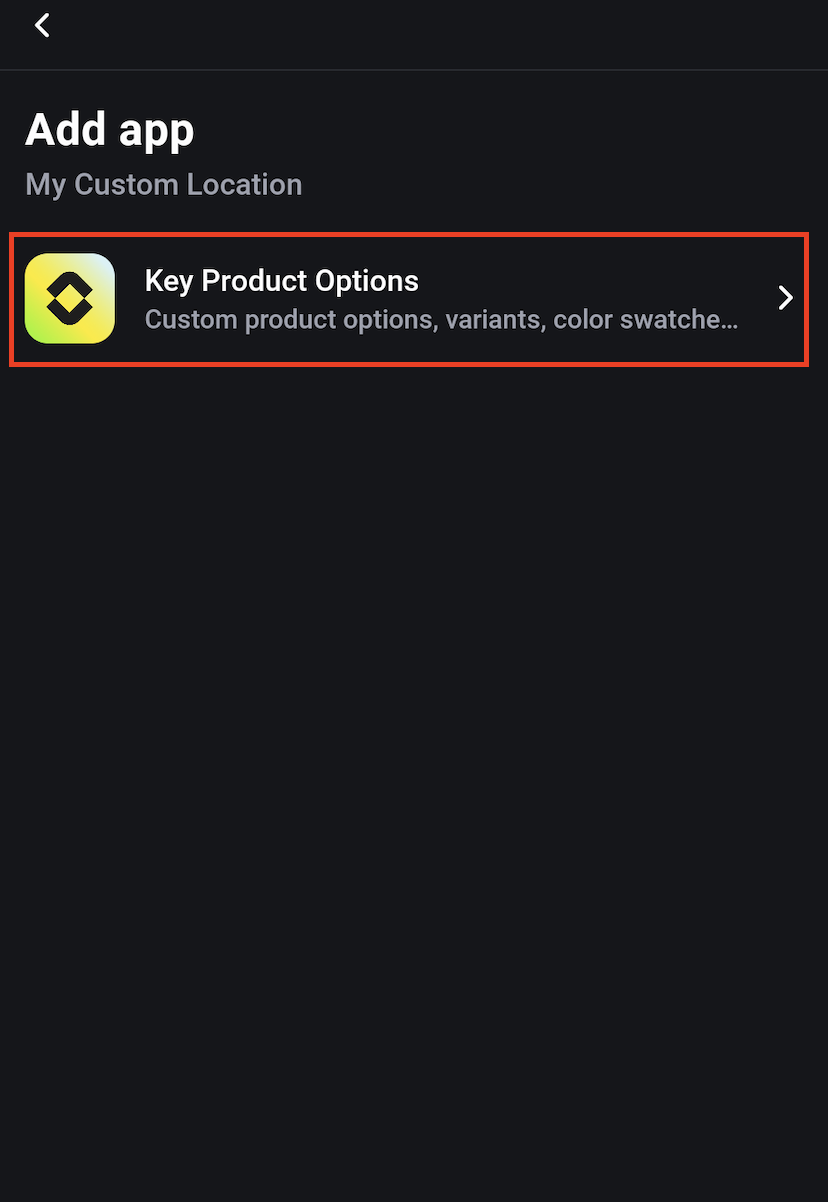
- In the Add Tile section, tap App and select Key Product Options.
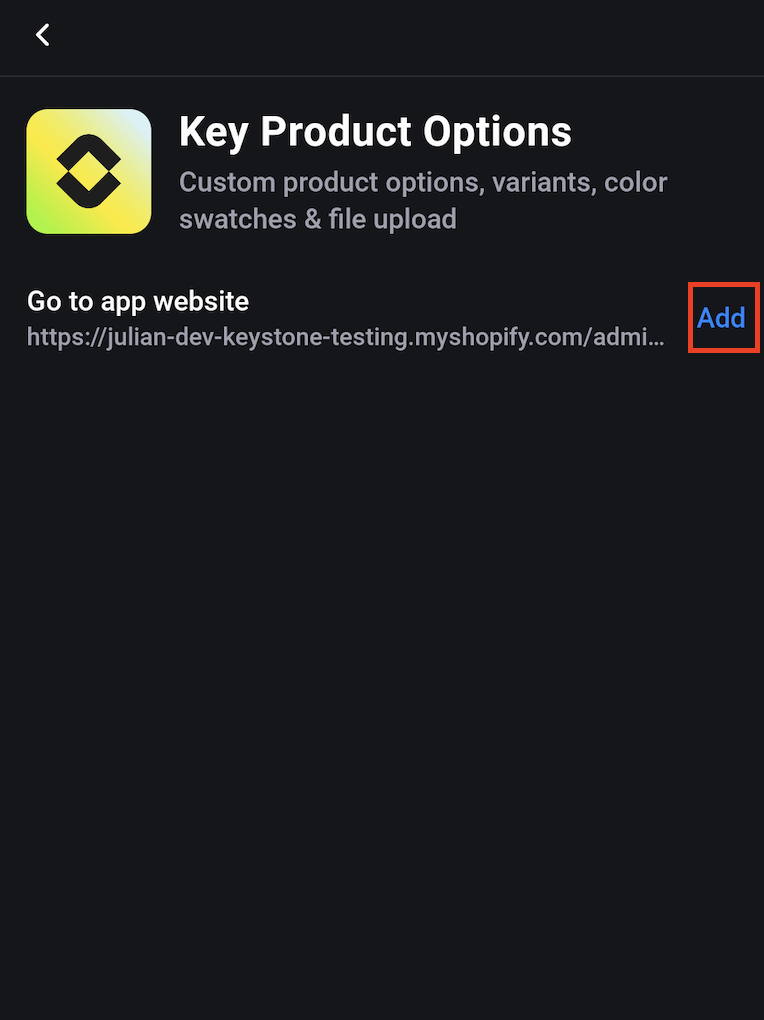
- Tap Add and click Save from the top header.
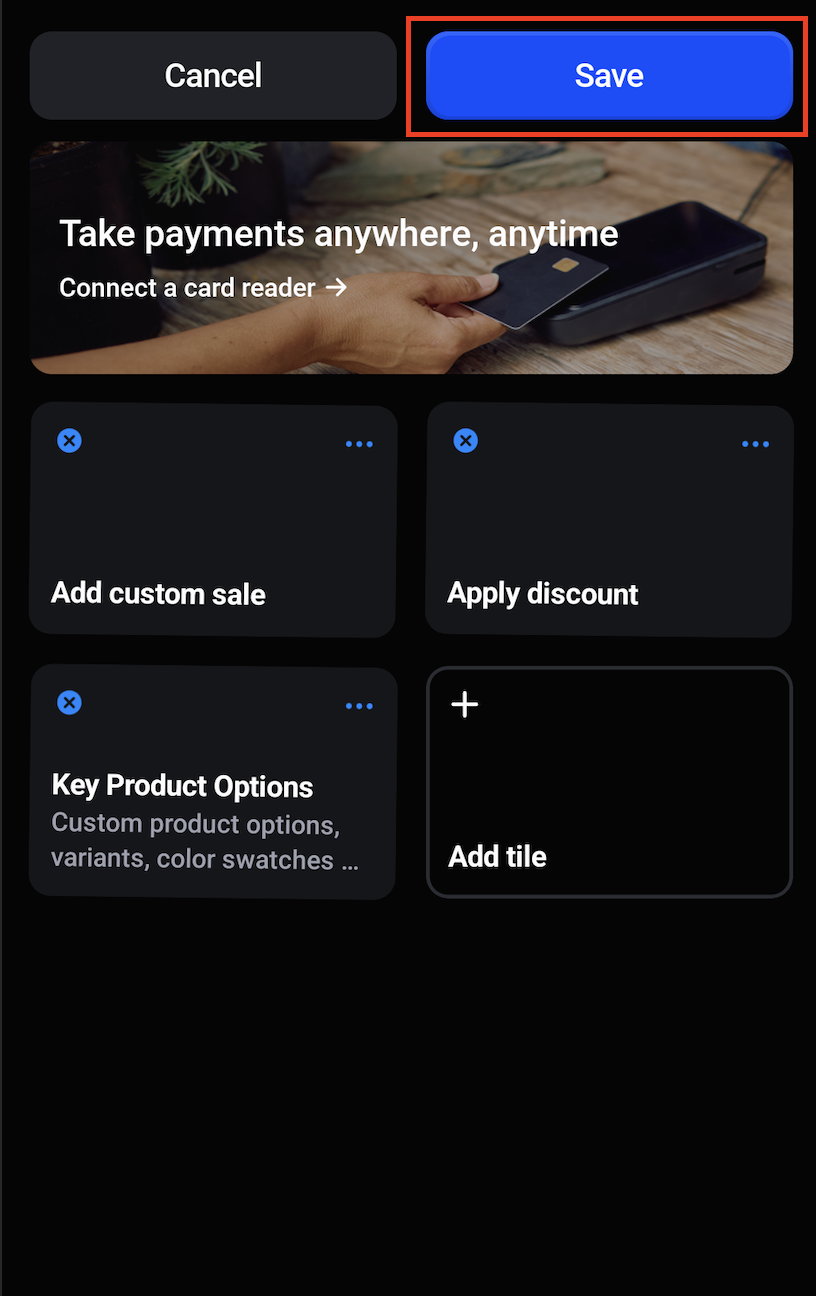
Your POS integration is now ready.
How to Use Product Options in Shopify POS
Follow these steps while creating an order:
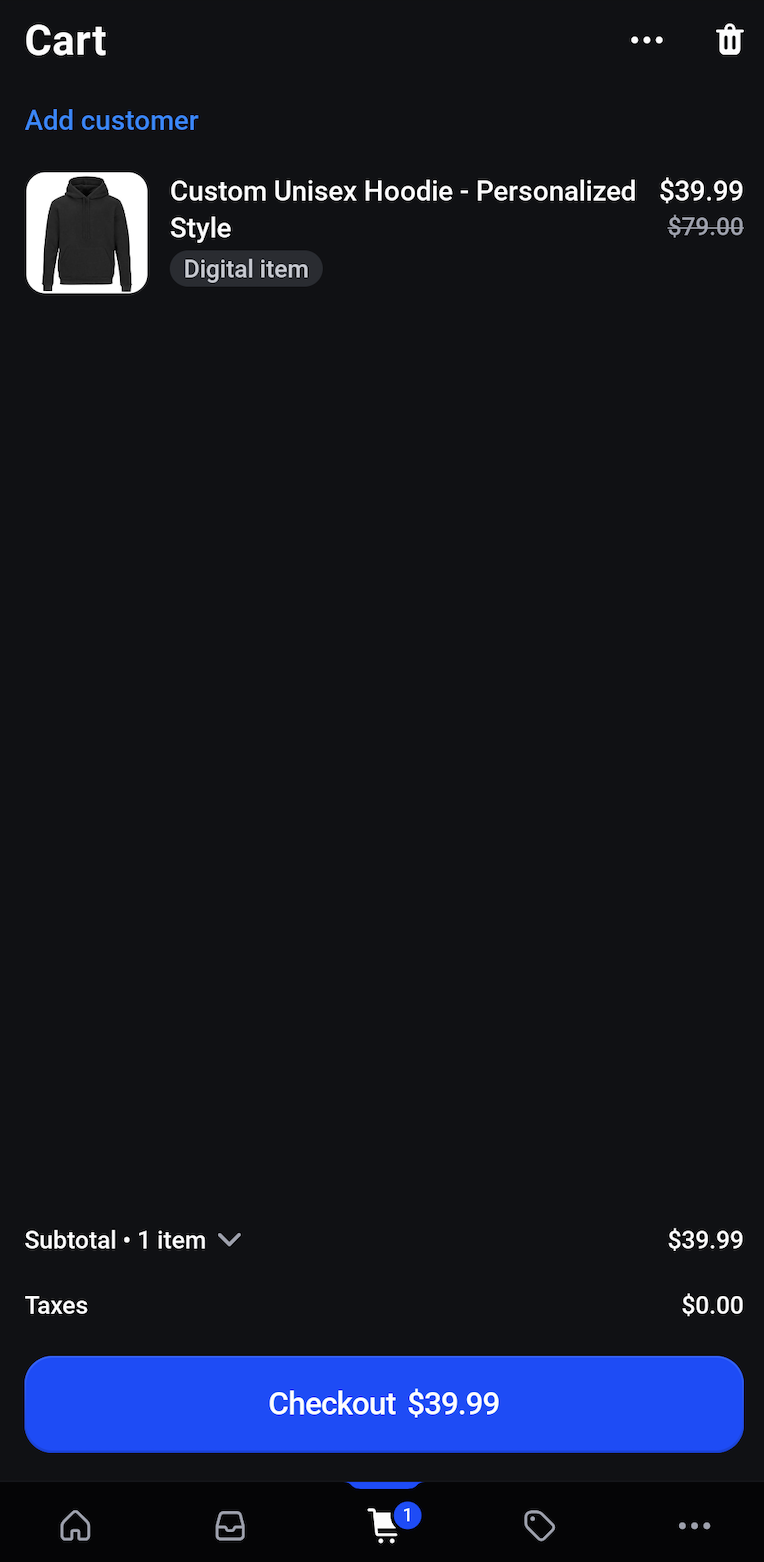
- Add the product(s) to the cart.
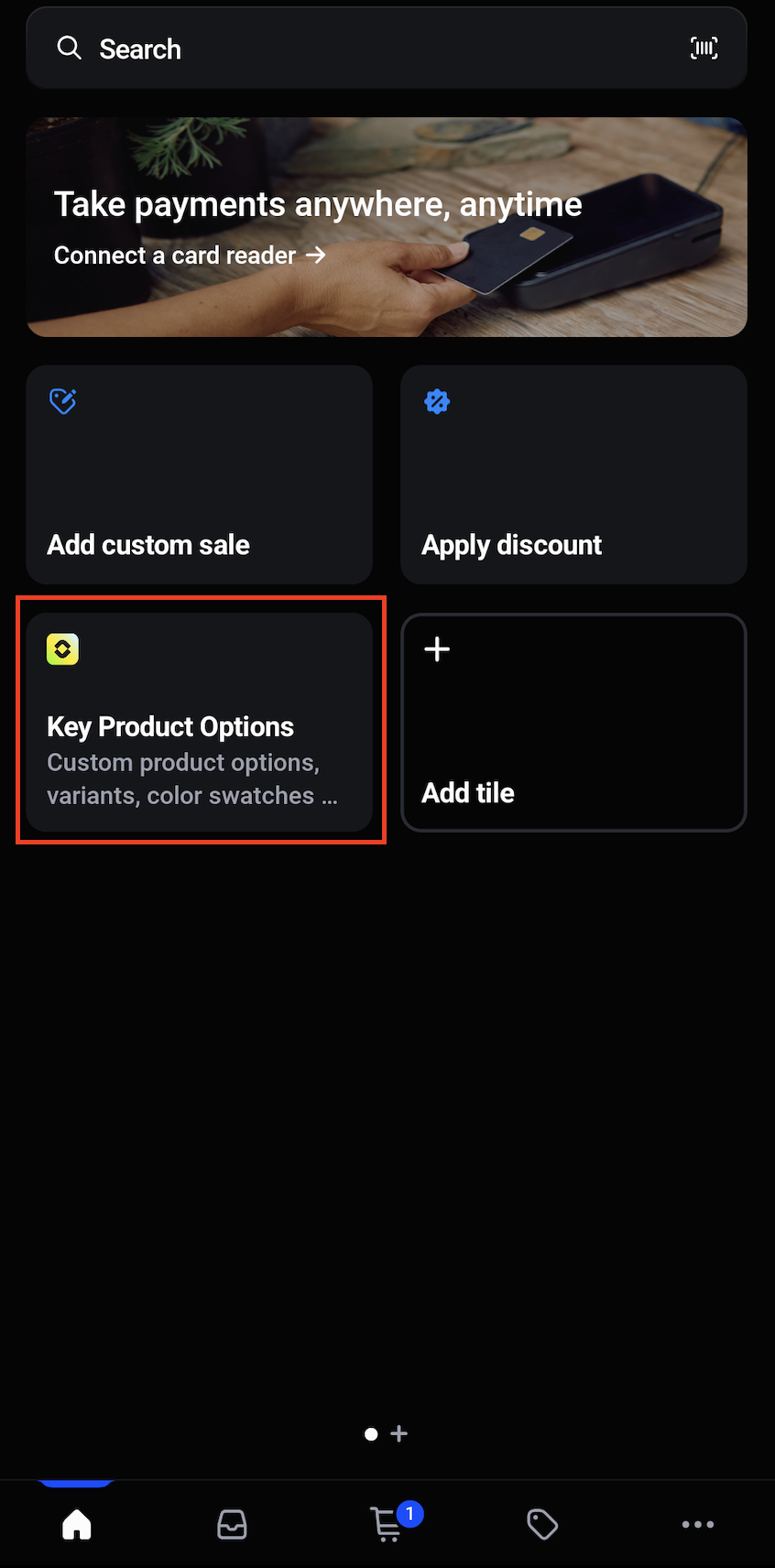
- Go back to the homepage and click on the Key Product Options app tile.
- Configure the options how you want them.
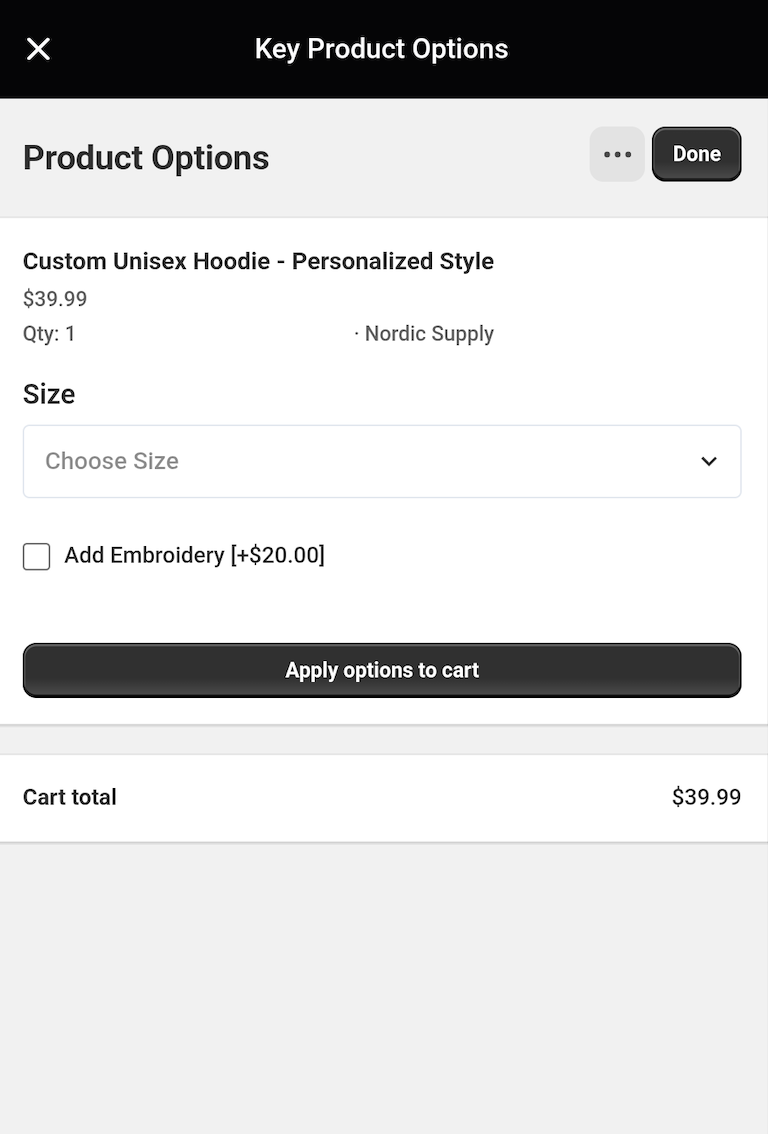
- Review the selected options and their prices.
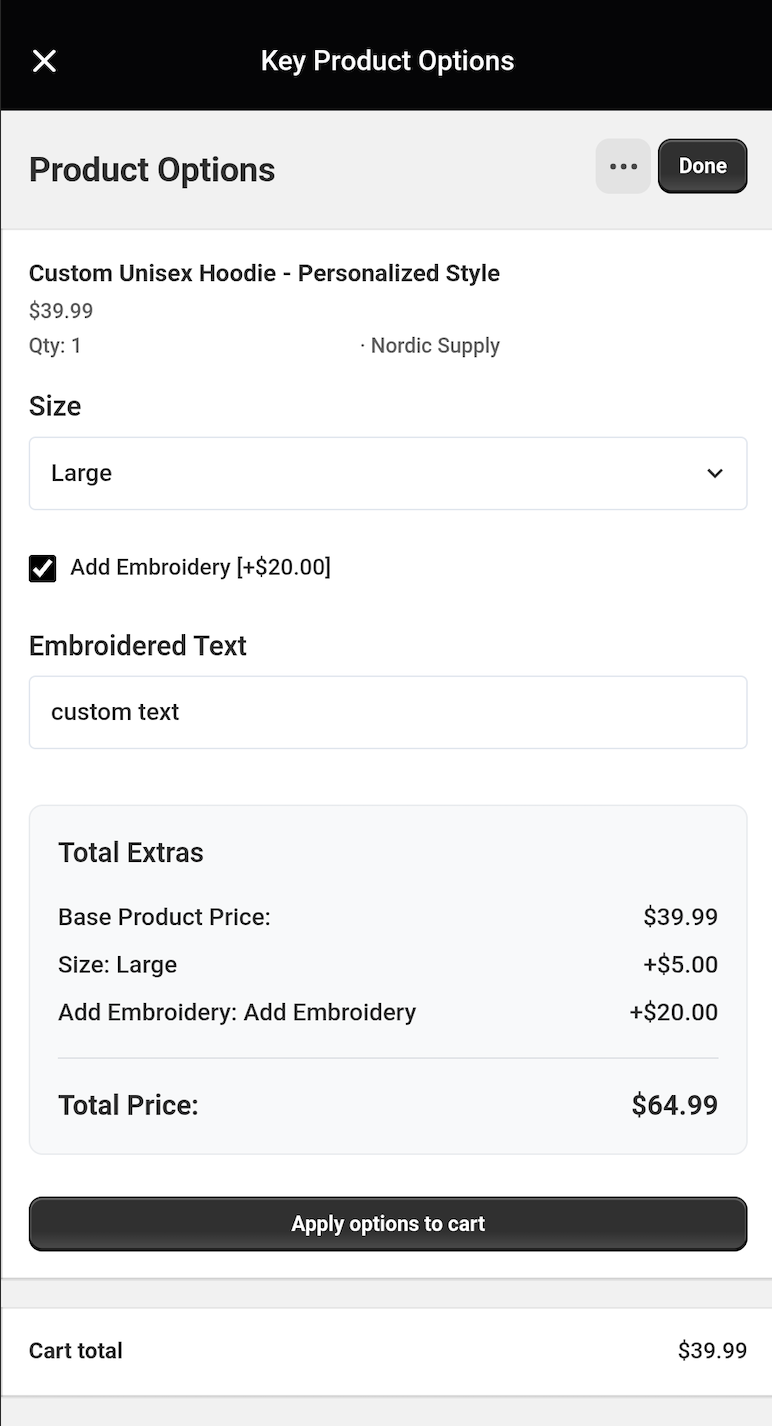
- Click Apply Options.
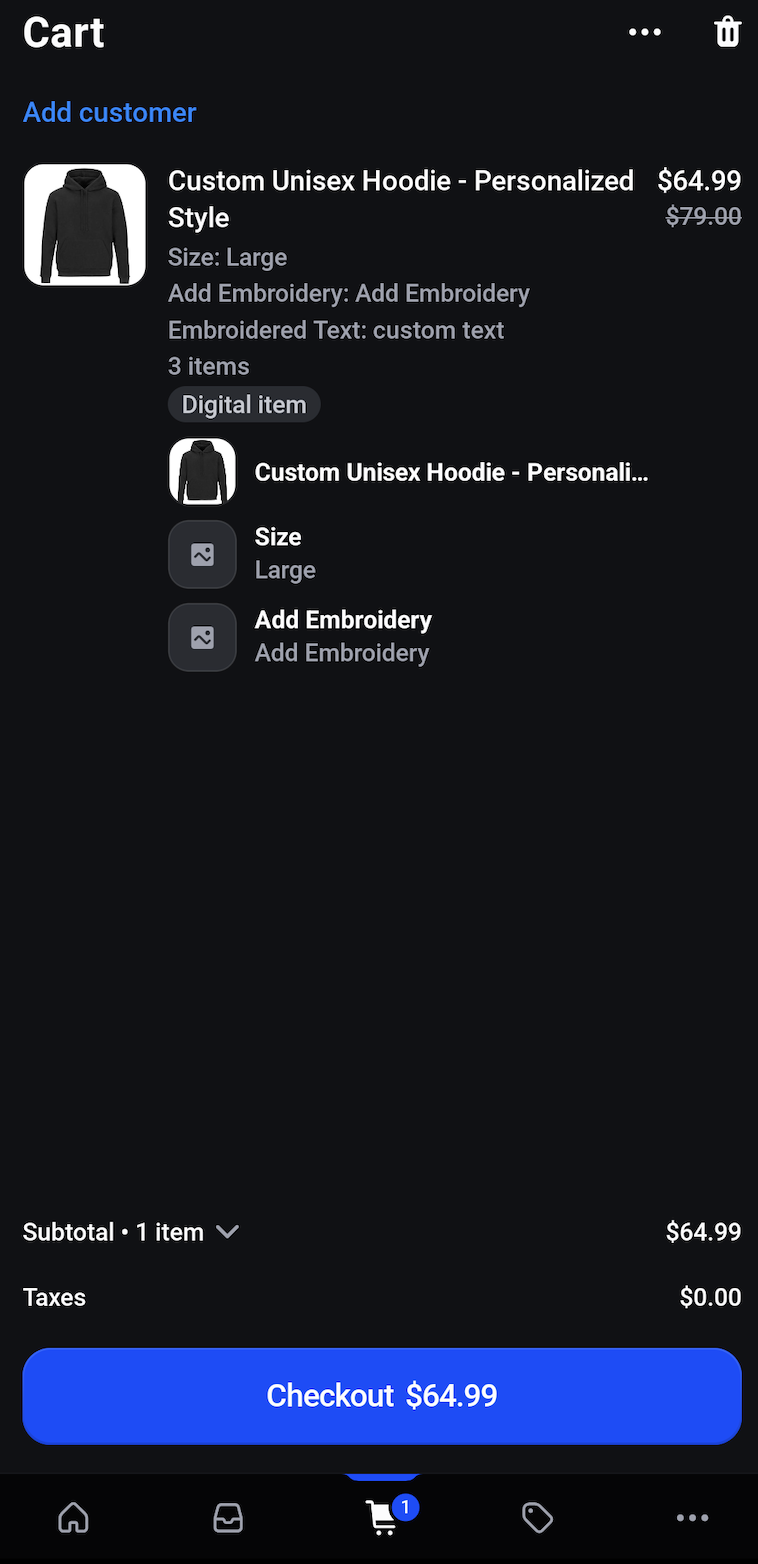
Important Usage Notes
⚠️ Critical Steps:
- You must add the product to the cart first before configuring options.
- Required validation works only when opening product-specific options.
- If you edit the cart after adding options, you must re-add the option properties.
- It is strongly recommended to finalize the cart before adding option properties.
Current Limitations in Shopify POS
Due to Shopify POS platform restrictions, certain features are limited.
4.1 Order-Level Limitations
- Order tags cannot be passed via Shopify POS.
- Tax settings strictly follow Shopify POS behavior.
- Tax cannot be modified or overridden from our end.
4.2 Unsupported Features in Shopify POS
The following option types and features are not supported in Shopify POS:
- File Upload
4.3 Cart & Checkout Responsibility
Our app handles only cart-level option properties.
The following processes are fully managed by Shopify POS and are not controlled by our app:
- Payment
- Shipping
- Confirmation emails
- Order processing
Any issues related to the above fall under Shopify POS functionality.
Summary
Because of Shopify POS platform limitations:
- Some advanced product option types are not supported.
- Order tags cannot be passed.
- Certain input types are restricted.
- Cart edits require re-adding option properties.
- Checkout-related operations are fully handled by Shopify POS.
Please carefully review these limitations before enabling Shopify POS integration.